
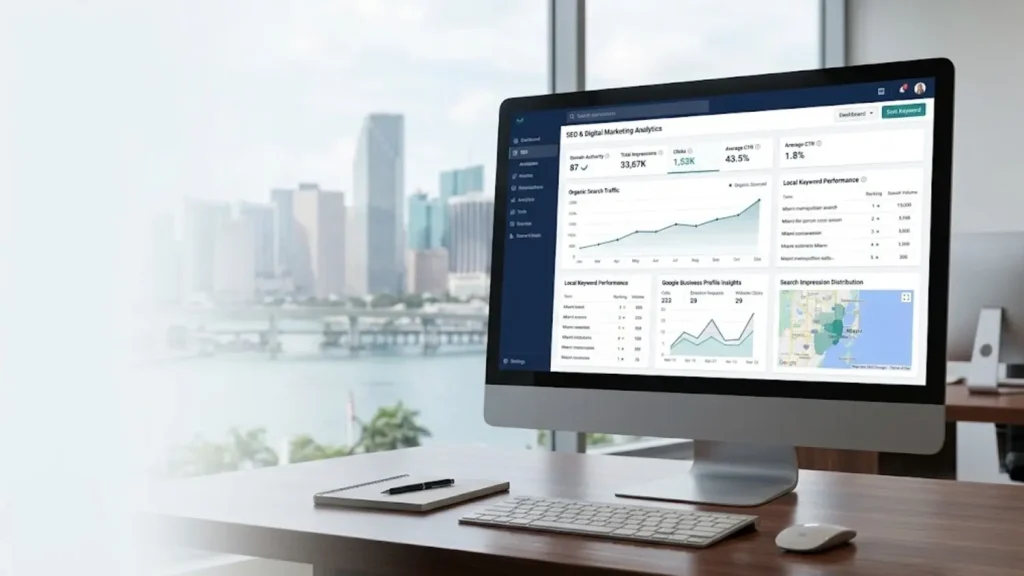
For businesses serving Miami, SEO reporting should do more than show whether website traffic is rising or falling. It should explain whether a website is reaching relevant local audiences, attracting potential customers, and generating enquiries, bookings, or sales.
An SEO dashboard report brings search performance, website analytics, local visibility, and business outcomes into one organized view. For Miami businesses, this can help identify which services attract search interest, which pages need improvement, and where SEO efforts should be focused.
The goal is not to collect more data than necessary. It is to understand what the numbers reveal and turn those findings into practical decisions.
If you are new to SEO reporting, start with our guide to SEO dashboard reporting fundamentals to understand the key metrics, reporting tools, and ways to evaluate search performance.
What Is an SEO Dashboard Report for Miami Businesses?
An SEO dashboard report is a visual summary of search engine optimization performance. For a local business in Miami, it should connect search visibility with the services offered, the geographic areas served, and the actions potential customers take on the website.
Depending on the business and its tracking setup, a dashboard may include:
- Google Search clicks and impressions.
- Search queries related to important services.
- Performance of service and location pages.
- Organic website sessions and tracked conversions.
- Available Google Business Profile performance metrics.
- Competitor keyword insights and selected ranking indicators.
- Qualified enquiries, bookings, or sales.
The most useful metrics depend on the business model. A Miami plumber may prioritize service enquiries and phone calls, while a restaurant may focus on relevant search visibility, website visits, reservations, and interactions with its business profile.
A dashboard should reflect these different customer journeys instead of giving every business the same set of targets.
Why Local SEO Reporting Matters in Miami
Miami businesses compete for attention across different industries, neighborhoods, and service areas. A company serving a limited area may need different reporting priorities from a business that serves customers throughout Miami-Dade County.
A well-organized report helps answer three important questions: Are the right people finding the business? Are they engaging with relevant pages? Are those visits contributing to meaningful business outcomes?
Measure Relevant Search Visibility
Google Search Console can show which queries generate impressions and clicks for your website. Reviewing query and page data helps you understand whether your content is appearing for relevant services and local searches.
An increase in impressions does not automatically indicate better business performance. The additional visibility may come from broader queries, searches outside your service area, or terms that are unlikely to generate qualified leads.
Review the queries behind a change before deciding whether a page needs new content or optimization.
Identify Underperforming Service Pages
Service pages help potential customers understand what a business offers and how to contact it. Tracking important pages separately can reveal changes in clicks, impressions, and conversions.
If a page loses traffic, investigate its search queries, indexing status, competing pages, content relevance, and recent website changes before rewriting it.
Location pages also need a clear purpose. Creating near-identical pages for multiple Miami neighborhoods can lead to repetitive content without offering users additional value. Each page should provide genuinely useful information relevant to the area and service it covers.
Connect Search Performance With Business Outcomes
Traffic is useful, but it does not tell the whole story. A website may attract more visitors without generating additional enquiries, while a smaller amount of relevant traffic may produce better leads.
Where tracking is available, measure actions such as completed contact forms, qualified phone enquiries, appointment bookings, and purchases.
This helps business owners evaluate SEO in terms of outcomes rather than relying on traffic or rankings alone.
Six Metrics to Include in an SEO Dashboard Report Miami Businesses Can Use
Start with a manageable group of metrics that supports your business goals. Add more indicators only when they provide useful context or help answer a specific question.
1. Google Search Clicks and Impressions
Google Search Console reports how often your website appears in Google Search and how often people click through to it.
Monitor clicks and impressions by query and page. Compare equivalent reporting periods to identify changes in search visibility and investigate which pages or searches contributed to them.
If impressions increase while clicks remain flat, examine the queries responsible for the change. Your website may be appearing for additional searches, ranking differently, or competing with results that attract more attention.
Do not assume that every decline in click-through rate requires a title change. First, review the underlying queries and search intent.
Google’s Search Console performance report documentation explains clicks, impressions, click-through rate, and average position.
2. Local Keyword Performance
Track a focused set of keywords related to your services and actual service area. Organize them by service, location, and search intent so you can identify which pages address important customer needs.
For example, a Miami home improvement company might investigate searches related to a specific service in Miami or a neighborhood it genuinely serves. A professional service provider may focus on queries suggesting that users are looking for a consultation or appointment.
Before targeting a keyword, inspect the current search results. Some searches favor local business listings, others favor service pages, and some are best answered by informational content.
For additional research, our guide to competitor keyword research with SpyFu explains how to investigate competitor keywords and potential content gaps.
Keep in mind that local rankings can vary by location, device, query, and tracking conditions. A rank-tracking report records observations under particular conditions; it does not guarantee the same position for every person in Miami.
3. Google Business Profile Performance
Eligible businesses with a verified Google Business Profile can review available performance data about how people discover and interact with their profiles on Google Search and Maps.
Depending on the business and the reporting available, useful metrics may include:
- Profile views.
- Website clicks.
- Calls initiated through the profile.
- Direction requests.
- Other supported customer interactions.
Interpret these measurements carefully. A website click from a Business Profile is not the same metric as a click reported by Search Console. Avoid adding the figures together as though they represent directly comparable website visits.
Review Google’s Business Profile performance guide for details about the available metrics.
4. Organic Sessions and Conversions
Google Analytics 4 can help you understand what visitors do after arriving at your website.
Depending on your configuration, you may track organic sessions, landing-page performance, engagement, and key events such as completed forms or bookings.
For a Miami service business, qualified enquiries may be more valuable than total visits. For an online retailer, completed purchases may be the primary outcome.
Before using conversion data to evaluate SEO performance, confirm that important actions are being recorded correctly. If your contact form or booking process is not tracked, the dashboard may understate the value of organic search.
Google’s traffic acquisition report guide explains how to review traffic sources in Analytics.
5. Geographic Relevance
A local SEO dashboard should help you assess whether your website attracts an audience relevant to your service area.
Depending on the reporting tool, you may be able to review geographic dimensions such as country or city. The available detail varies, and analytics location data should not be treated as a complete record of every customer’s location or intentions.
Interpret geographic information alongside search queries, landing-page performance, service coverage, and lead quality.
For example, if a company serves selected areas around Miami, a rise in visits from outside its service area may be less valuable than a smaller increase in qualified local enquiries.
6. Landing-Page and Technical Performance
Monitor important service pages, contact pages, and relevant location pages for changes in search visibility and website activity.
Technical checks can help identify indexing concerns, broken links, and other website issues that may affect the user experience or search performance.
However, a dashboard alert is a starting point for investigation, not proof of the cause of a traffic decline. Check the underlying issue and available evidence before prioritizing fixes.
How to Build an SEO Dashboard Report for a Miami Business
A useful dashboard does not need to be complicated. Start with clear objectives, reliable data sources, and reporting that helps you make decisions.
Step 1: Define Your Goals and Service Area
Decide what SEO should help your business achieve. Your primary goal might be to generate qualified leads, increase relevant organic traffic, improve visibility for important services, or attract bookings.
Next, define where your business genuinely serves customers. Some businesses cover a limited part of Miami, while others serve a wider region.
Your dashboard should reflect your actual business coverage rather than treating every nearby neighborhood as an automatic SEO target.
Step 2: Select the Right Data Sources
Choose tools that answer your most important reporting questions.
| Data source | What to monitor |
|---|---|
| Google Search Console | Search clicks, impressions, queries, CTR, and average position |
| Google Analytics 4 | Organic sessions, engagement, and configured conversions |
| Google Business Profile | Available profile visibility and customer interactions |
| SEO research tools | Estimated keyword visibility and competitor opportunities |
| Lead or booking system | Qualified enquiries, appointments, and sales |
These sources measure different activities. Label each metric clearly, record its source, and avoid combining totals that are not directly comparable.
For many small businesses, Search Console and Analytics provide a useful starting point. Add other tools when they contribute information that supports a real business decision.
Step 3: Group Keywords by Service and Intent
Choose keywords based on the services you offer, the customers you want to reach, and the areas you genuinely serve.
Group them by service, geographic relevance, and search intent. This makes it easier to identify which existing pages deserve attention and whether additional content is justified.
Before publishing another article or location page, review your existing content to avoid targeting the same search intent with multiple pages.
Then examine the current search results to confirm that your planned page matches what users expect to find.
Step 4: Organize the Dashboard Around Decisions
A practical local SEO dashboard can use four sections:
Search visibility: Clicks, impressions, important queries, and selected ranking indicators.
Website performance: Organic sessions, landing-page activity, and relevant technical issues.
Local profile interactions: Available Business Profile metrics and customer actions.
Business outcomes: Qualified enquiries, bookings, sales, or other meaningful conversions where tracking is available.
Keep reporting dates and data sources visible. Anyone reviewing the dashboard should understand what each number represents and how it compares with the previous period.
Step 5: Compare Consistent Reporting Periods
Monthly comparisons can reveal developing trends. Year-over-year comparisons may also help when customer demand changes seasonally.
Use equivalent periods and check whether tracking, website configuration, or reporting definitions changed during the comparison.
Record important events, including website migrations, new service pages, major content updates, and changes to conversion tracking. These details may help explain performance changes.
Avoid treating one unusual day or a short period of weaker performance as proof that your SEO strategy has failed.
Step 6: Turn Findings Into an Action Plan
The dashboard should lead to specific investigations and next steps.
| Finding | Recommended next step |
|---|---|
| Impressions rise but clicks remain flat | Review queries, average position, search intent, and search-result presentation |
| An important service page loses traffic | Check indexing, queries, competing pages, and recent changes |
| Traffic rises but enquiries do not | Test forms, phone links, page relevance, and conversion tracking |
| Business Profile interactions change | Review available profile data and compare equivalent periods |
| A page attracts unrelated searches | Reassess its content focus and the intent it serves |
These are diagnostic starting points, not automatic explanations. Verify the underlying evidence before making significant changes.
Prioritize actions according to their likely business value, urgency, and supporting evidence. Review the results in the next reporting cycle to see whether the changes helped.
Example: Using an SEO Dashboard at a Miami Business
Consider a fictional Miami landscaping company reviewing its monthly SEO performance.
Its dashboard shows that impressions for relevant service searches have increased, but qualified enquiries have remained unchanged.
Instead of immediately publishing more content, the company investigates three areas:
- Search visibility: It checks which queries and landing pages generated the additional impressions.
- Page relevance: It reviews whether important service pages clearly explain the services offered and the areas covered.
- Conversion tracking: It tests contact forms and phone links to confirm that enquiries are being recorded correctly.
The investigation may reveal a content issue, a mismatch between search intent and the landing page, or a tracking problem. The company should verify the evidence before choosing a solution.
This fictional example demonstrates how reporting can guide an investigation. It does not represent measured results from an actual Miami business.
Common Local SEO Reporting Mistakes
Targeting Every Miami Neighborhood
A location keyword alone is not a reason to create another page. Publish dedicated location content when it serves a genuine audience and provides useful, distinct information.
Treating Rankings as Guaranteed Positions
Search visibility varies by query, location, device, and time. Rank-tracking data describes specific observations rather than guaranteeing what every user will see.
Counting Every Interaction as a Lead
A profile view, website click, phone-button click, and completed enquiry are different actions. Define the business outcomes that matter and track them consistently.
Ignoring Lead Quality
More traffic may not help if visitors need a different service or are outside your service area. Where possible, evaluate lead quality alongside traffic and conversion totals.
Comparing Incompatible Metrics
Search Console, Analytics, Business Profile, and third-party SEO platforms measure different activities. Label each metric and avoid combining figures without a clear methodology.
Changing Pages Before Investigating the Cause
A traffic decline may reflect changes in demand, search visibility, competition, technical configuration, or tracking.
Investigate the available evidence before making major content or website changes.
Frequently Asked Questions
What should an SEO dashboard report for Miami include?
A practical report can include search clicks, impressions, relevant queries, landing-page performance, available Business Profile metrics, and properly tracked conversions. The exact selection depends on the business’s goals and available data.
Do all Miami businesses need a Google Business Profile?
Eligibility depends on Google’s guidelines for businesses with physical locations or service-area operations. An online-only business that does not qualify should not build its reporting strategy around a profile it cannot legitimately maintain.
Can an SEO dashboard show rankings for individual Miami neighborhoods?
Some rank-tracking platforms support geographic settings. Their results reflect specific tracking conditions and do not guarantee that every searcher in a neighborhood will see the same position.
How often should a local SEO dashboard be reviewed?
A monthly review is a practical starting point for many small businesses. Important technical issues, broken conversion tracking, or unusual performance changes may require attention sooner.
Which SEO metrics matter most for a small local business?
Start with relevant search visibility, organic visits to important pages, and meaningful outcomes such as qualified enquiries, bookings, or sales. Add more metrics only when they help explain performance or guide a decision.
Conclusion
An effective SEO dashboard report helps a Miami business understand whether its search visibility is reaching the intended audience and contributing to meaningful outcomes.
Track relevant queries, important landing pages, available local profile metrics, and properly configured conversions. Compare consistent reporting periods, investigate changes before acting, and prioritize improvements based on business needs.
The goal is not to collect the largest amount of SEO data. It is to understand what the data reveals about your local audience and use those insights to make better decisions.


