
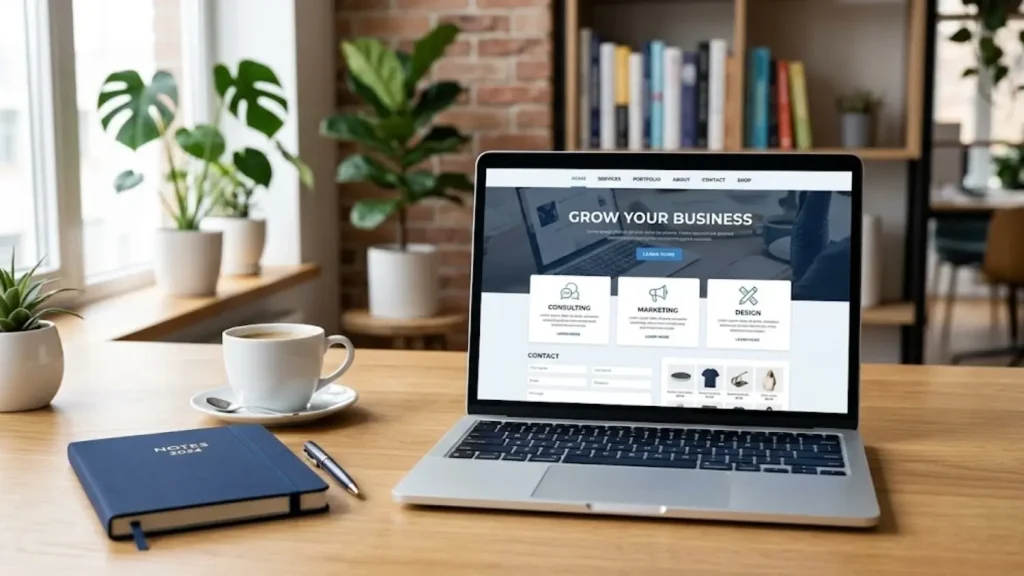
Choosing the best website builder for a small business depends on more than templates and monthly prices. Your website should help potential customers understand what you offer, trust your business, and take the next step—whether that means requesting a quote, booking a consultation, or placing an order.
A solo consultant may need only a few service pages and a contact form. A growing online retailer may need product management, checkout, and inventory tools. A content-led business may care more about publishing flexibility and control over its website.
The right platform is the one that supports your actual business workflow without adding unnecessary cost or maintenance. This guide compares six popular options and shows when each one makes sense—and when it may not.
If your company mainly provides local or professional services, read our guide to choosing a website builder for service-based businesses for advice on service pages, quote forms, and local SEO.
What Should a Small Business Website Builder Include?
Before comparing platforms, write down what customers need to do on your website.
Most small businesses should consider:
- Mobile-friendly pages: Visitors should be able to read content, navigate menus, and complete forms comfortably on a phone.
- SEO controls: You should be able to manage page titles, meta descriptions, URLs, headings, and image alt text.
- Contact or conversion tools: These might include quote forms, appointment booking, phone links, or ecommerce checkout.
- Reliable website management: Understand who manages hosting, security, backups, software updates, and technical problems.
- Room to grow: Consider whether you may later need more service pages, a blog, online payments, or integrations.
- Total cost: Account for renewals, domains, premium apps, payment processing, maintenance, and any separate services.
A platform with many features is not necessarily the best choice. Features matter only when they help your business serve customers more effectively.
6 Website Builders to Compare
1. Wix: A Flexible Option for Small Business Websites
Wix is worth considering if you want a visual website editor with business tools available within the same platform. Its official business website offering includes options for bookings, online selling, blogging, and SEO tools, although the features available to you can depend on the product and plan. Explore Wix’s business website features.
Practical example: Imagine a dog-grooming business with three services, a gallery of completed work, customer reviews, and appointment requests. A visual builder with suitable service and booking tools may be simpler to manage than a heavily customized website.
Why it may fit
- Visual editing and a choice of templates.
- Business features for presenting services and collecting enquiries.
- Options to extend the website as requirements change.
When it may not fit
- You need a highly specialized workflow that the available tools cannot support.
- Required features or integrations push the cost beyond your budget.
- You expect to migrate a complex website and need more direct control over its underlying structure.
Before choosing Wix, test the actual editor and booking or form workflow you plan to use. Do not assume every feature is included in every plan.
2. Squarespace: For Design-Focused Businesses
Squarespace is worth evaluating when visual presentation is a major part of how your business attracts customers. Photographers, creative professionals, consultants, and portfolio-led businesses may value a consistent design system and a straightforward editing experience.
Practical example: A wedding photographer needs galleries, package information, an enquiry form, and a clear way to discuss availability. A design-focused builder may meet these needs without requiring a large collection of plugins.
Why it may fit
- Templates designed to create a consistent visual identity.
- Tools for presenting services, portfolios, and written content.
- Scheduling can be added through suitable booking options, including Acuity.
When it may not fit
- You need extensive customization beyond the platform’s available tools.
- Your booking or marketing workflow requires several separate subscriptions.
- Portability and rebuilding costs are major concerns.
If appointments are central to your business, evaluate the complete scheduling setup and its cost rather than assuming the website subscription includes every booking feature.
For a closer look at booking calendars, reminders, and scheduling features, see our comparison of website builders with appointment-booking tools.
3. Self-Hosted WordPress: For Flexibility and Control
Self-hosted WordPress uses the WordPress software installed on hosting you choose. You can select themes, extend functionality through plugins, and manage your content and technical setup with considerable flexibility. WordPress’s official documentation describes its publishing tools, theme system, plugin ecosystem, and data ownership features. Read the official WordPress feature overview.
Practical example: A specialist consulting company plans to publish research, case studies, detailed service pages, and downloadable resources. It may benefit from WordPress’s publishing and customization options, especially if the website will become an important long-term content asset.
Why it may fit
- Flexibility for content-heavy websites and specialized functionality.
- A broad range of themes and plugins.
- More direct control over hosting and website structure.
When it may not fit
- You do not want responsibility for updates, backups, security, and compatibility.
- You need a very simple website and have no plans to customize it.
- You lack technical support and would find troubleshooting difficult.
WordPress is not automatically cheaper or easier. Its value depends on your needs, hosting arrangement, chosen tools, and maintenance plan.
4. Shopify: For Product-Based Ecommerce
Shopify is designed around online selling. Its website builder supports customizable storefronts, product presentation, checkout, and other commerce-related functions. Feature availability can vary by plan. Explore Shopify’s ecommerce website builder.
Practical example: A small home-decor brand plans to sell 150 products, manage orders, accept payments, and expand its catalog. A platform designed for ecommerce is a more natural fit than a simple brochure-site builder.
Why it may fit
- Store-oriented product and order workflows.
- Checkout and online-sales functionality.
- Options to extend the store with apps and integrations.
When it may not fit
- Your business mainly needs service pages and quote requests.
- You would pay for ecommerce capabilities that you do not need.
- Your required workflow depends on features or integrations that are unavailable or too costly.
If products are central to the business, evaluate Shopify closely. If your website is mainly informational, compare simpler alternatives before committing to a store-focused platform.
5. GoDaddy Website Builder: For Straightforward Websites
GoDaddy Website Builder may suit owners who want a relatively straightforward way to publish core business information without managing a complicated website setup.
Practical example: A local tutoring business needs pages explaining its subjects, tutor qualifications, service area, and contact details. It does not need an extensive blog or advanced custom features at launch.
Why it may fit
- A guided approach to creating basic pages.
- A practical starting point for a small online presence.
- Potentially less technical management than a more customized setup.
When it may not fit
- You need specialized integrations or extensive customization.
- Your business depends on advanced booking or customer-management workflows.
- You have not confirmed whether your desired features are available on the plan you intend to buy.
Check the current plan details and export options before building a large website around the platform.
6. Hostinger Website Builder: For a Guided Setup
Hostinger Website Builder is worth comparing if you prefer a visual editor and want a consolidated way to manage a relatively straightforward website.
Practical example: A freelance designer needs a homepage, portfolio, service descriptions, a contact form, and a few articles. A guided builder may be enough if it supports the required pages and editing workflow.
Why it may fit
- Visual website creation.
- A relatively guided setup process.
- Potential suitability for smaller business websites.
When it may not fit
- Your website needs specialized functionality that is not supported.
- You expect substantial customization or a complex publishing workflow.
- A required feature depends on a paid integration that changes the overall cost.
Check current plan features, renewal pricing, and migration options rather than choosing on introductory price alone.
Which Platform Fits Your Business?
| Your situation | Options worth comparing | Main decision |
|---|---|---|
| Local business with a few services | Wix, Squarespace, GoDaddy, Hostinger | How easily can customers contact you? |
| Portfolio-led creative business | Squarespace, Wix, WordPress | How well can you present work and receive enquiries? |
| Content-heavy business or blog | Self-hosted WordPress | Do you need publishing control and customization? |
| Online store with many products | Shopify, WordPress with suitable ecommerce tools | Which platform best supports products, checkout, and orders? |
| Appointment-based business | Wix, Squarespace with a suitable scheduling setup, WordPress with a booking plugin | Can it manage the actual booking workflow? |
These are starting points, not universal rankings. Confirm the features and total costs of the specific plans before choosing.
A Practical Example: The Same Budget, Two Different Businesses
Consider two businesses with similar starting budgets.
Business A: A local cleaning company. It needs separate service pages, a service-area explanation, customer testimonials, and a quote form. Spending extra on advanced ecommerce tools would not directly solve its main problem. A straightforward builder may be enough.
Business B: A specialist industry publisher. It plans to publish articles weekly, organize content into categories, and eventually offer downloadable resources. A more flexible content-management system may justify the additional maintenance.
The lesson is simple: compare platforms against the work your website must perform, not just the number of features listed on a pricing page.
How to Choose Without Overpaying
- Define the primary goal. Decide whether the site should generate enquiries, take bookings, sell products, or publish content.
- List essential features. Separate must-have functions from features that can wait.
- Calculate the full cost. Include renewal prices, domains, email, paid tools, payment fees, and maintenance.
- Test the mobile experience. Check navigation, forms, calls to action, and checkout if relevant.
- Review SEO controls. Confirm that you can edit page titles, descriptions, URLs, and image alt text.
- Check portability. Find out what content and data can be exported if you move later.
- Try a real workflow. Build a sample service page or test a booking before committing.
Common Mistakes to Avoid
- Choosing a platform solely because its introductory price is low.
- Prioritizing visual design over clear navigation and useful content.
- Paying for features your business does not use.
- Assuming that a website builder automatically guarantees search rankings.
- Ignoring backups, maintenance, data export, and future migration.
- Publishing thin service pages that do not answer customers’ real questions.
Frequently Asked Questions
What is the best website builder for a small business?
There is no single best choice for every business. Wix and Squarespace are worth comparing for managed visual editing, self-hosted WordPress for flexibility, and Shopify for businesses focused on ecommerce. The right option depends on your workflow, budget, and maintenance preferences.
Is WordPress better than a website builder?
Self-hosted WordPress offers extensive customization and control, but it requires more maintenance. Hosted builders may simplify setup and routine management. Neither option is automatically better for every business.
Can a small business website rank on Google?
Yes, but no platform guarantees rankings. Useful content, relevant pages, technical accessibility, competition, links, and the quality of the overall website can all affect search visibility.
Should I start with a free website builder?
A free plan can help you test a platform, but it may limit your domain, branding, storage, or features. Review those restrictions before using a free plan for your permanent business website.
How much should a small business website cost?
Costs depend on the platform, domain, plan, design, integrations, maintenance, and professional help. Compare first-year and renewal costs for the same set of required features instead of relying on a headline monthly price.
Final Recommendation
Choose a website builder by matching its capabilities to your business model. A service company may need a strong enquiry process, a retailer needs reliable ecommerce workflows, and a content-led business may value publishing flexibility. Start with your essential requirements, verify the current plan details, and choose the platform you can maintain effectively over time.


