
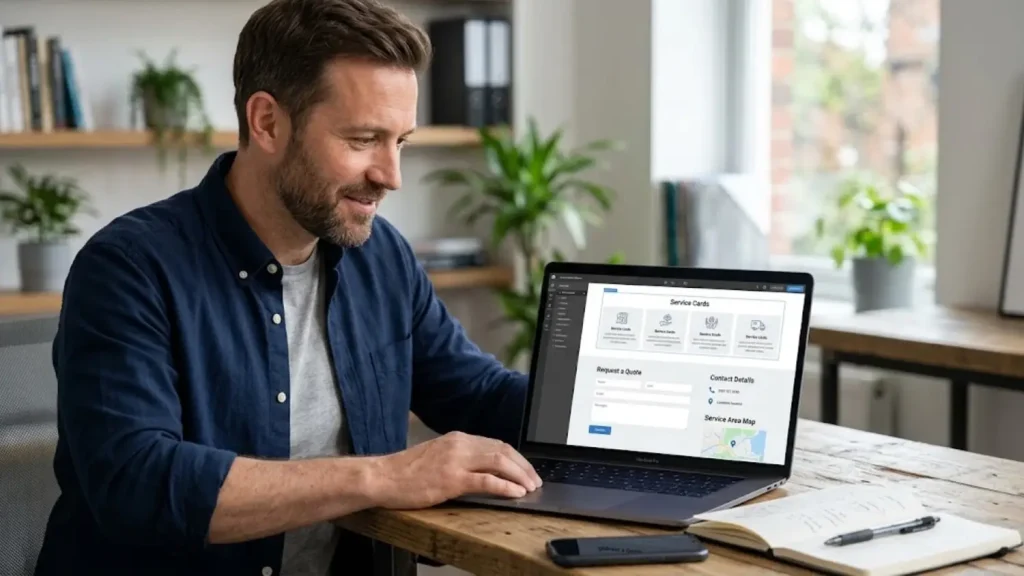
A service business website needs to do more than look professional. It should explain what you do, help the right customers decide whether you are a good fit, and make it easy to request a quote or start a conversation.
A contractor may need project enquiries and service-area information. A photographer may need a portfolio and consultation form. A consultant may need to explain packages and let potential clients schedule a call.
The best website builder for service businesses depends on this customer journey. This guide compares six options and explains how to build a website that supports useful enquiries rather than simply collecting more traffic.
What a Service Business Website Needs
Dedicated Service Pages
Each major service should have its own page when customers need different information to make a decision. Explain what is included, who the service is for, how the process works, and what the customer should do next.
Clear Contact and Quote Options
Make it easy to call, email, request a quote, or book a consultation. The primary call to action should reflect the way your business actually sells its services.
Local Information Where Relevant
If you serve specific cities or ZIP codes, explain your coverage accurately. Avoid publishing dozens of nearly identical location pages that add little value for visitors.
Evidence That Builds Trust
Use genuine testimonials, project examples, credentials, photographs, and clear business information. Never invent reviews or claim qualifications you do not hold.
Mobile-Friendly Forms
Check that contact details are easy to tap and forms are comfortable to complete on a phone. A form that looks good on a desktop may still be frustrating on a small screen.
6 Website Builders for Service Businesses
1. Wix: For Businesses That Need Several Business Tools
Wix is worth considering when you want to manage service pages, forms, and other business functions through a visual editor. Its official business offering includes options for bookings, online selling, blogging, and SEO tools, with specific features depending on the plan and product. Review Wix’s business website options.
Example: A dog-grooming business offers three packages, serves two nearby towns, and wants customers to view services before requesting an appointment. A website builder with suitable service and booking tools may cover those needs without requiring a custom build.
Potential advantages
- Visual page editing.
- Options for presenting services and receiving enquiries.
- Business tools that may support growth.
Potential limitations
- Confirm the exact booking and form features available on your plan.
- Extra apps or integrations may add cost.
- A complex custom workflow may require a different approach.
2. Squarespace: For Portfolio and Presentation-Led Services
Squarespace is worth evaluating for photographers, designers, consultants, and other businesses where the presentation of work matters.
Example: A wedding photographer wants galleries, package information, an enquiry form, and a clear process for discussing availability. A design-focused site can help present the work consistently while keeping the next step easy to find.
Potential advantages
- Templates that support a consistent visual identity.
- A straightforward way to present services and portfolio content.
- Scheduling can be added through suitable tools, including Acuity.
Potential limitations
- Advanced requirements may need additional services.
- Confirm the cost of scheduling and other integrations.
- A visually attractive website still needs clear service information and contact options.
3. Self-Hosted WordPress: For Custom Service Workflows
Self-hosted WordPress is useful when your business needs more control over page structure, content, integrations, or specialized forms. The official WordPress feature overview describes its themes, plugins, publishing tools, and ability to extend website functionality. See WordPress’s official feature documentation.
Example: A commercial contractor wants detailed pages for different project types, a resource library, project galleries, and a quote form that asks different questions depending on the service. WordPress may offer the flexibility needed, provided the chosen tools support the workflow.
Potential advantages
- Broad customization options.
- Flexibility for blogs, service pages, and specialized forms.
- Control over hosting and website structure.
Potential limitations
- Updates, backups, security, and compatibility require attention.
- Paid plugins or developer support can increase costs.
- Too much customization can create unnecessary complexity for a small website.
4. GoDaddy Website Builder: For Basic Service Websites
GoDaddy Website Builder may be suitable for businesses that need a straightforward online presence with essential pages and contact information.
Example: A local tutoring service wants to explain its subjects, show tutor qualifications, list its service area, and receive enquiries. It may not need a complex publishing system or custom functionality at launch.
Potential advantages
- Guided site creation.
- A simple starting point for core business information.
- Potentially less technical setup than a highly customized site.
Potential limitations
- Confirm the availability of your preferred forms, booking tools, and integrations.
- Advanced workflows may require another service.
- Review migration and export options before committing.
5. Hostinger Website Builder: For a Guided Setup
Hostinger Website Builder is worth comparing if you want a visual editing experience for a relatively straightforward service website.
Example: A freelance designer needs a homepage, portfolio, service descriptions, testimonials, and a contact form. A guided builder may be sufficient if it supports those requirements and allows you to manage the site comfortably.
Potential advantages
- Visual website creation.
- A guided setup process.
- Potential suitability for smaller sites with standard requirements.
Potential limitations
- Verify current plan features and integrations.
- Advanced booking or custom forms may require additional tools.
- Consider renewal costs and portability.
6. Shopify: When Services Include Product Sales
Shopify is mainly oriented toward ecommerce, so it may be less suitable for a service business that only needs a few pages and an enquiry form. It can make sense when selling products is also an important part of the business. Its official website builder focuses on storefronts and commerce functions. Explore Shopify’s website builder.
Example: A custom furniture company sells ready-made products online but also accepts enquiries for bespoke pieces. Ecommerce tools may support its product sales, while a separate enquiry process handles custom work.
Potential advantages
- Store-oriented product and order tools.
- Checkout and online selling.
- Options to extend ecommerce functionality.
Potential limitations
- A simple service business may not need its store-focused tools.
- Apps and plan requirements can affect the total cost.
- Custom service workflows need to be checked carefully.
Match the Website to the Way Customers Buy
| Business | Useful website features | A common mistake |
|---|---|---|
| Contractor | Project enquiry form, coverage details, work photos | Asking for no useful project information |
| Photographer | Portfolio, package details, consultation form | Hiding the enquiry process |
| Consultant | Service descriptions, credentials, call booking | Using vague service descriptions |
| Cleaning company | Service list, quote form, service area | Letting every enquiry arrive without context |
| Tutor | Subject pages, qualifications, enquiry or booking | Making parents search for contact details |
| Product-and-service company | Product catalog plus service enquiry workflow | Trying to force every purchase through one process |
The best website is the one that reflects how customers actually make decisions in your industry.
A Practical Example: Qualifying Contractor Enquiries
Imagine a kitchen renovation contractor that receives enquiries from customers with very different project budgets and timelines. A basic “Name, Email, Message” form may not collect enough information to prioritize responses.
A more useful form could ask for:
- The type of project.
- The ZIP code or service location.
- An approximate budget range.
- The expected project start date.
- A short description of the work.
If the selected form tool supports file uploads, the contractor could also let customers share project photos. The business should ask only for information that it genuinely needs.
This approach will not automatically increase the number of leads, but it can make enquiries more informative and easier to review.
How to Build a Website That Supports Better Enquiries
1. Make Every Core Service Understandable
Explain the service, the customer it is designed for, what the process involves, and what happens after someone contacts you.
2. Use a Clear Call to Action
Choose wording that matches the next step: “Request a Quote,” “Discuss Your Project,” or “Schedule a Consultation.” Avoid promising instant booking if requests need manual review.
3. Remove Unnecessary Form Fields
Ask for the details you need to respond. A short, relevant form is usually a better starting point than a long questionnaire that visitors may abandon.
4. Demonstrate Credibility
Include genuine work samples, testimonials with permission, relevant credentials, and accurate business information. Do not use fabricated reviews or unsupported claims.
5. Improve Local Relevance
If you serve specific areas, explain that coverage clearly. Give each important location page a genuine purpose and useful information instead of repeating identical text.
6. Measure Enquiries, Not Just Visits
Track meaningful actions such as quote requests, phone calls, and completed bookings. Traffic matters, but it does not show whether the website is helping your business generate useful opportunities.
For a broader platform comparison, see our guide to choosing a website builder for a small business.
If customers need to reserve a time with you, our comparison of website builders with appointment scheduling explains which booking requirements to evaluate.
Common Mistakes to Avoid
- Putting every service on one vague page.
- Hiding phone numbers and enquiry options.
- Using stock images when genuine work examples would be more useful.
- Creating location pages with no distinct value.
- Assuming that a website builder alone will deliver local rankings.
- Adding paid tools without a clear business purpose.
Frequently Asked Questions
What is the best website builder for service businesses?
It depends on the service and customer journey. Wix and Squarespace are worth comparing for managed visual editing, WordPress for customization, and simpler builders for basic sites. Check the actual features you need before choosing.
Does a service business need a separate page for every service?
Separate pages are useful when services differ in audience, process, pricing, or search intent. Each page should provide meaningful information rather than simply repeating the same text under a different heading.
Can a website builder help with local SEO?
A builder can provide controls for page titles, descriptions, content, and mobile layouts. Local search visibility also depends on the usefulness of your information, competition, business details, reviews, and other factors.
Should I add online booking?
Booking is useful when customers can select a time and your business can maintain an accurate calendar. If every project needs an individual quote or inspection, a quote-first process may work better.
Is a simple website enough for a small service business?
Yes, if it explains the services, builds trust, and makes the next step clear. Add pages and tools when they solve a genuine customer or business need.
Final Recommendation
Choose a website builder that supports your specific customer journey. A contractor may need project details before preparing a quote, while a photographer may need a strong portfolio and consultation form. Build around those real requirements, verify the platform’s current capabilities, and keep the website simple enough to maintain consistently.


